
- Joined
- 28 September 2021
- Messages
- 5,549
- Reactions Received
- 53,023
- Cards
- View Profile
- KS Coins
- 5,908
- Ship
- Wreck


Hey All!
I was playing around with the forum's features and figured out how to re-join a conversation I'd already left and decided to make a tutorial thread about it.
BTW: @Vikki gave me permission to post this
Okay, let's start!
---------------------
First, click on the mail icon.
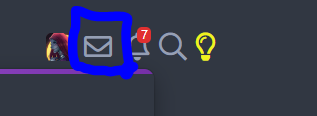
Clicking on that mail icon will pop up something like this:

Click the 'Show all..' as seen in the image above.
After that, you'll be redirected to a page with all of your conversations that looks something like this:

You can view the conversations you've left by clicking on the 'Trash' option as seen below:
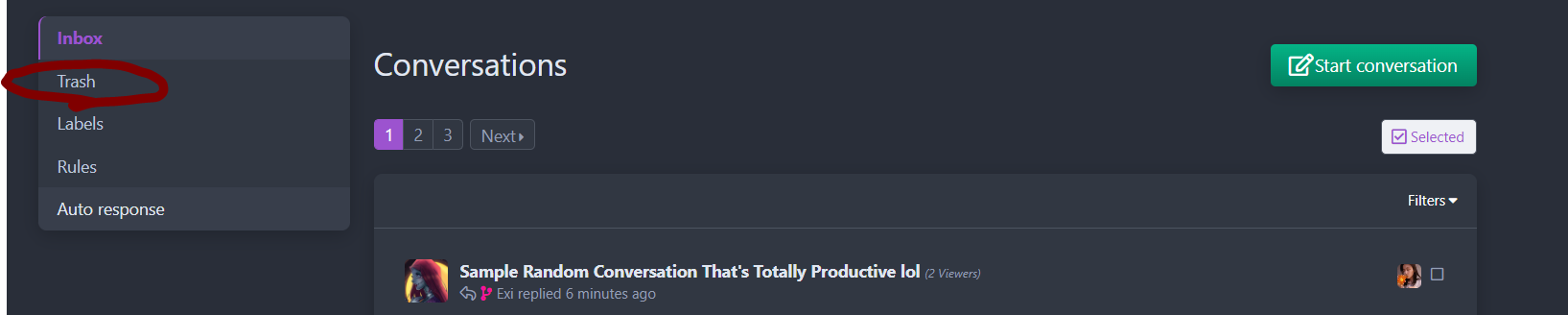
And tada, here are the conversations you've left:
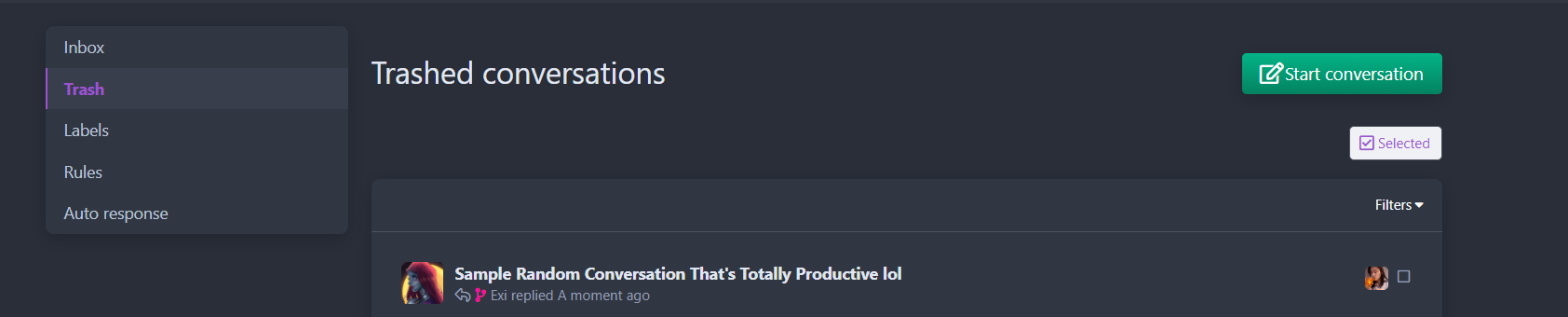
To rejoin a left conversation, you can just click on the desired conversation and a
prompt like this will pop up :
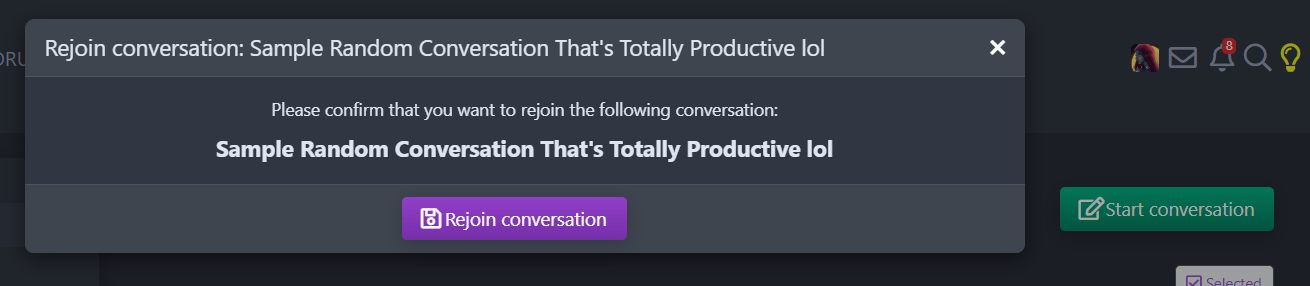
Click 'Rejoin conversation' and you'll be added back to the conversation you previously left.
And that's how you rejoin a conversation!

I hope yall found this helpful! ^_^
------------------------
p.s.: Thanks @Nina for agreeing to help with the pseudo conversation needed to make this tutorial.
p.s.s.: I did post this thread before but the images weren't showing up at all, ooof.
I was playing around with the forum's features and figured out how to re-join a conversation I'd already left and decided to make a tutorial thread about it.
BTW: @Vikki gave me permission to post this
Okay, let's start!
---------------------
First, click on the mail icon.
Clicking on that mail icon will pop up something like this:
Click the 'Show all..' as seen in the image above.
After that, you'll be redirected to a page with all of your conversations that looks something like this:
You can view the conversations you've left by clicking on the 'Trash' option as seen below:
And tada, here are the conversations you've left:
To rejoin a left conversation, you can just click on the desired conversation and a
prompt like this will pop up :
Click 'Rejoin conversation' and you'll be added back to the conversation you previously left.
And that's how you rejoin a conversation!
I hope yall found this helpful! ^_^
------------------------
p.s.: Thanks @Nina for agreeing to help with the pseudo conversation needed to make this tutorial.
p.s.s.: I did post this thread before but the images weren't showing up at all, ooof.


![Lee Hi [Nina]](https://kpopsource.com/data/medal/2361_1724713914m.jpg)
![KS Arcade [Nina]](https://kpopsource.com/data/medal/2253_1715907491m.jpg)


![I.M [Nina]](https://kpopsource.com/data/medal/2455_1735231784m.jpg)


![Donation [Boyo]](https://kpopsource.com/data/medal/2390_1728246881m.jpg)

![Donation [Boyo]](https://kpopsource.com/data/medal/2391_1728247541m.jpg)
![V [Boyo]](https://kpopsource.com/data/medal/2389_1728246822m.jpg)
![Win Metawin [Boyo]](https://kpopsource.com/data/medal/2308_1719261902m.jpg)
![Pavel Phoom [Hakunama_Tata]](https://kpopsource.com/data/medal/2215_1705784236m.jpg)


